Documentation Index Fetch the complete documentation index at: https://docs.testdino.com/llms.txt
Use this file to discover all available pages before exploring further.
What you’ll learn
How to map branches to environments using exact match or patterns
How test results route to the correct environment automatically
How environment mapping affects dashboards, filters, and alerts
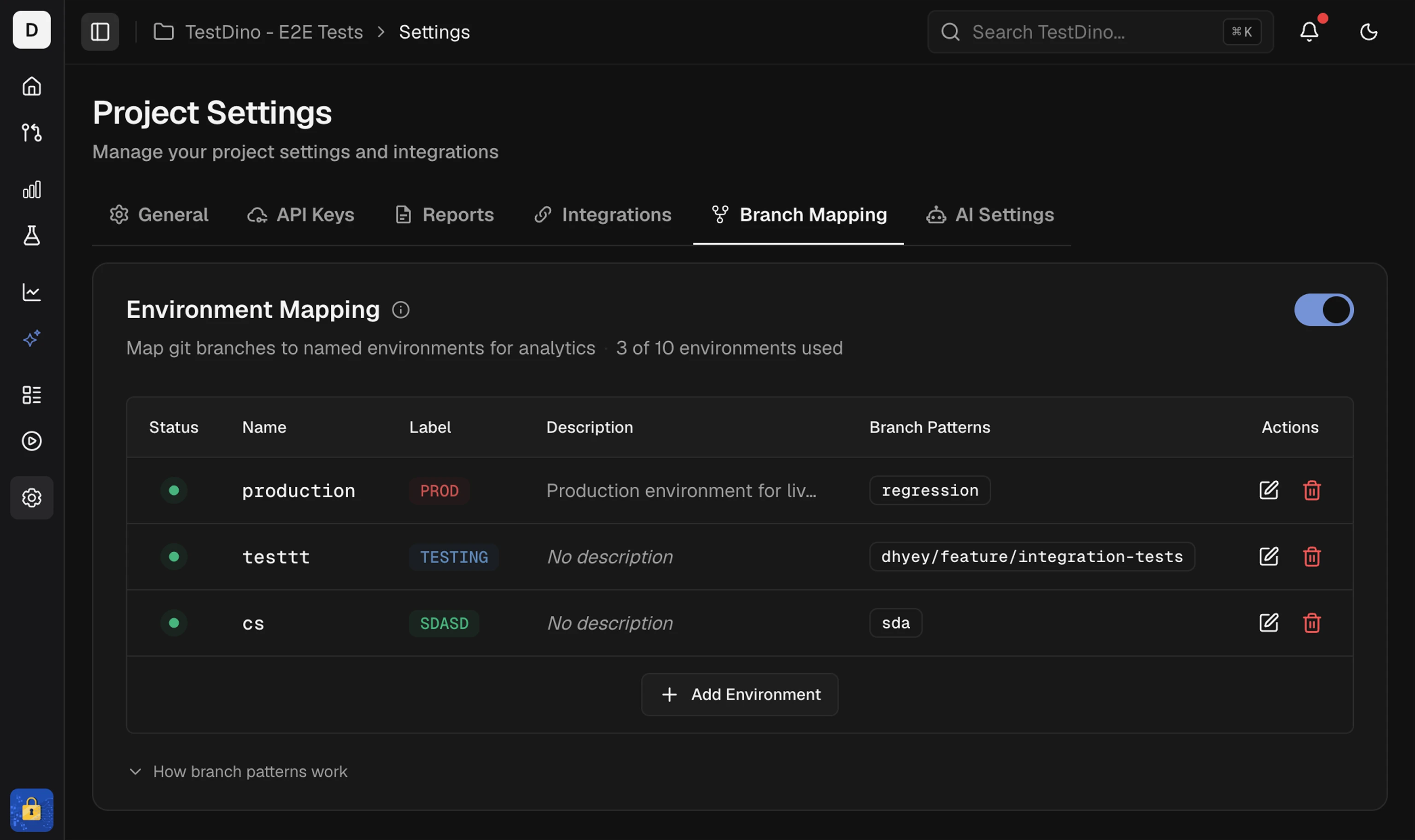
Branch patterns map your Git branches to environments (Dev, Staging, Production). Test results automatically route to the correct environment based on the branch that triggered the run.
Quick Reference
Symbol Meaning Example ^Start of name ^dev → dev/test ✓$End of name main$ → main ✓(?i)Case-insensitive (?i)^main$ → MAIN ✓\dAny digit v\d → v1 ✓|OR dev|qa → dev or qa ✓( )Group ^(dev|qa)/ → dev/ or qa/ ✓
See full symbol reference below.
Pattern Types
Exact Match
Match the branch name exactly as written.
Pattern Matches Does not match mainmainmain-backup, feature/main
Use exact match for specific branch names like main, master, production.
Regex Patterns
Use regular expressions for flexible matching.
Pattern Description Matches ^dev/Starts with dev/ dev/feature-123, dev/bug-fix^main$Exactly main main^(main|master)$Either main or master main, master^release/v\d+Release with version release/v1, release/v2.0
Common Patterns
Branch Prefixes
Pattern Description Matches ^feature/Feature branches feature/login, feature/payment^hotfix/Hotfix branches hotfix/critical-bug^release/Release branches release/v1.0, release/2024-01^pull/\d+GitHub PR branches pull/123/merge, pull/456/head
Version Numbers
Pattern Description Matches ^release/v\d+Version with v prefix release/v1, release/v2.0^release/\d+\.\d+Semantic version release/1.0, release/2.5^release/v\d+\.\d+\.\d+$Exact semver release/v1.0.0
Case-Insensitive
Use (?i) when your team uses inconsistent casing:
Pattern Matches (?i)^main$main, MAIN, Main(?i)^release/release/, RELEASE/, Release/
Common Use Cases
Git Flow
Environment Pattern Production ^(main|master)$Staging ^(staging|stage)$Development ^(dev|develop)$Features ^feature/Hotfixes ^hotfix/Releases ^release/
Environment Prefixes
Environment Pattern Production ^prod/Staging ^stg/QA ^qa/Development ^dev/
Version Releases
Environment Pattern Production ^release/v\d+\.\d+\.\d+$Release Candidates ^release/v\d+\.\d+\.\d+-rc\d+$Beta ^release/v\d+\.\d+\.\d+-beta$
Regex Symbols Reference
Symbol Meaning Example Matches ^Start of branch name ^devdev/feature ✓, my-dev ✗$End of branch name main$main ✓, main-old ✗(?i)Case-insensitive (?i)^main$main, MAIN ✓.Any single character dev.dev/, dev-, dev1*Zero or more of previous dev.*dev, dev/feature+One or more of previous dev.+dev/feature ✓, dev ✗\dAny digit (0-9) v\dv1, v2, v9|OR dev|qadev, qa[ ]Any character in brackets [0-9]0, 1, 2, … 9( )Group patterns ^(dev|qa)/dev/test, qa/test[^ ]NOT in brackets [^0-9]a, b, - (not digits)
Best Practices
Practice Good Bad Anchor at start ^dev/dev/ (matches anywhere)Use $ for exact ^main$^main (matches main-old)Test patterns first Use regex101.com Deploy untested Use (?i) for case (?i)^release/^[Rr][Ee][Ll]...
Avoid
Pattern Problem .*Matches everything .+Matches any branch dev*Matches d, de, dev dev;echoSecurity risk (special characters)
Validation
Errors (blocks saving)
Invalid characters: ;, &, `, ", ', <, >, %
Invalid regex syntax: unclosed brackets, invalid escapes
Warnings (allows saving)
Unanchored patterns that might match unintentionally
Suggestion provided to fix
Testing Patterns
Example: ^dev/
Branch Match Reason dev/feature-login✓ Starts with dev/ dev/bug-fix✓ Starts with dev/ development/test✗ Starts with development/ my-dev/branch✗ Does not start with dev/
Example: ^release/v\d+\.\d+
Branch Match Reason release/v1.0✓ Matches pattern release/v2.5.3✓ Matches pattern (and more) release/version1.0✗ Missing v before number release/beta✗ No version number
CLI Override
Bypass branch mapping with the --environment flag:
npx tdpw upload ./playwright-report --token= "..." --environment= "staging"
The CLI flag takes priority over branch mapping rules. See CLI reference for details.
GitHub Actions, status checks, and CI optimization.
Project Settings Configure branch mapping
GitHub Actions CI workflow setup
Node.js CLI Upload options reference
Analytics by Environment View results per environment