

Quick Reference
AI features are on by default. Toggle them in Project Settings → AI Features. Changes apply from the next test run. Providers do not train on customer content: AI data handling.
Failure classification
Every failed test gets a category and confidence score.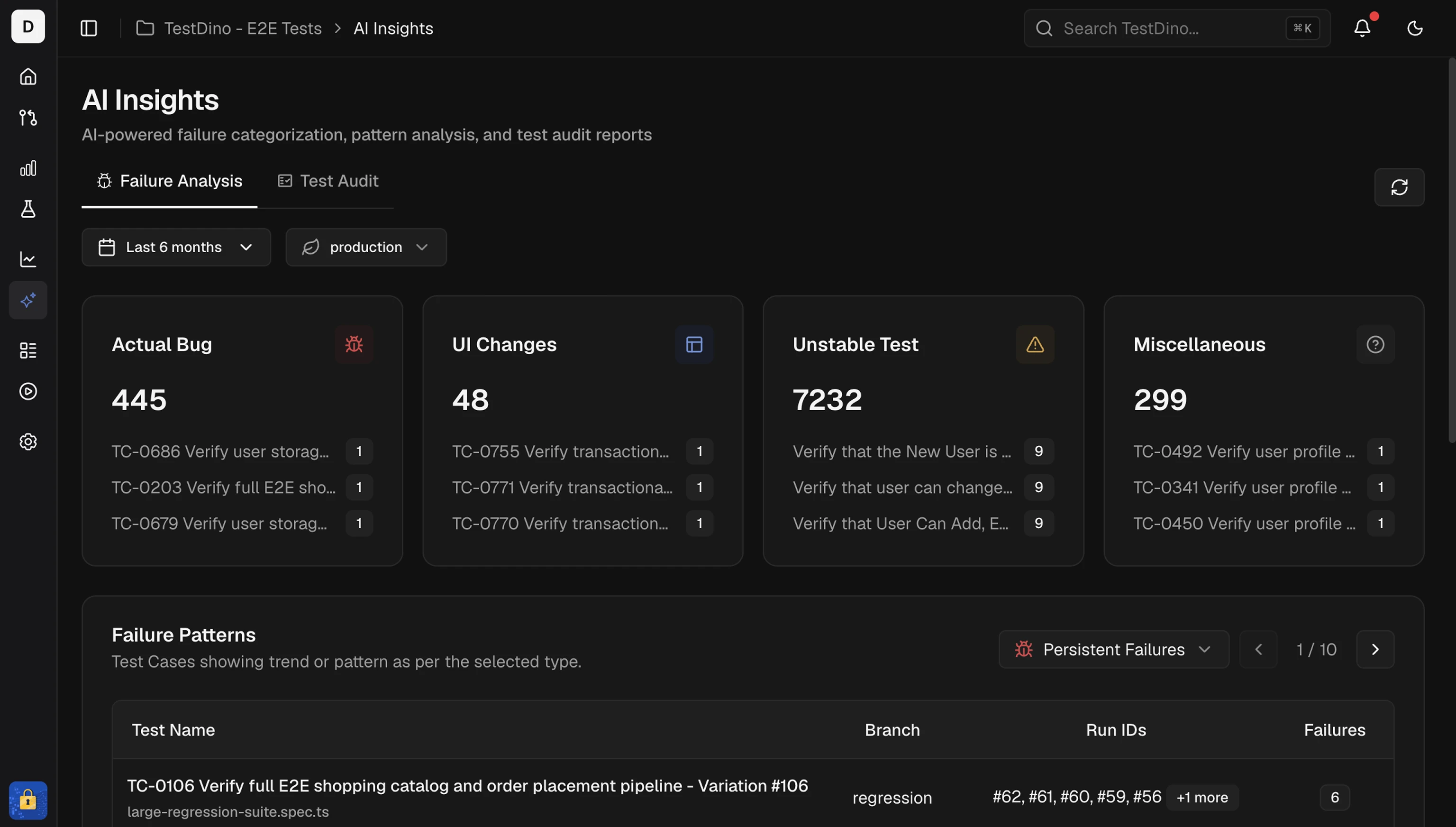
Classification shows on Test run AI Insights and Test case AI Insights. Correct a misclassification from the feedback form on a test case.
Per-test analysis
Each failing test case gets a category, a confidence score, and fix recommendations drawn from its execution history.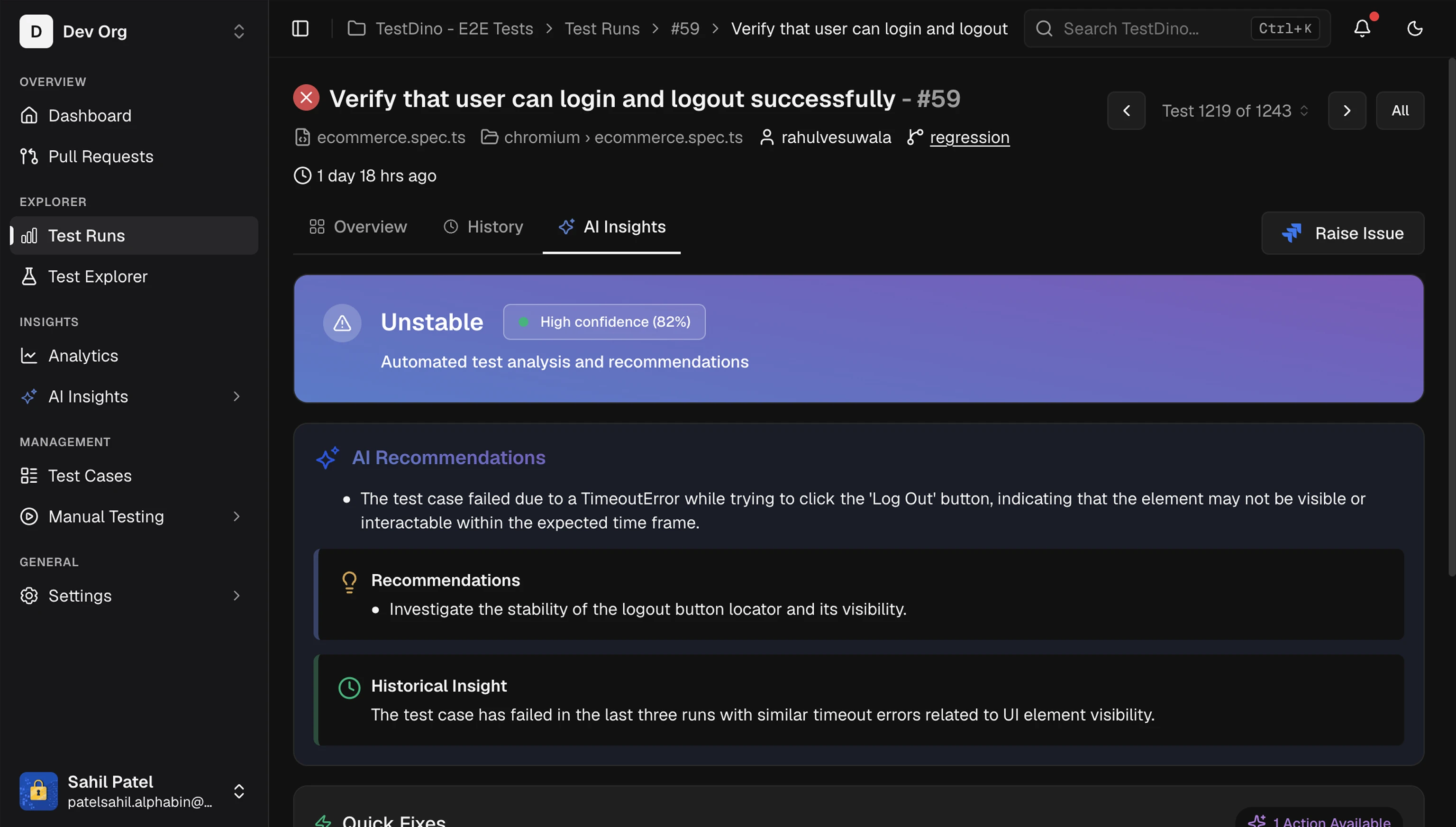 Treat AI recommendations as guidance. Validate before you change product or test code. Learn more in Test Case AI Insights.
Error grouping
AI groups similar errors by message, stack trace, and failure location (assertion, timeout, element not found, network, JavaScript, browser). Selecting a KPI tile filters the error analysis table. Learn more about clustering in Error Grouping.MCP and docs for agents
AI Onboarding
Connect an agent with MCP, CLI, or docs
AI Failure Analysis
Cross-run classification and patterns
TestDino MCP
Query live test data from an assistant
AI Test Audit
Audit suite quality and coverage gaps