

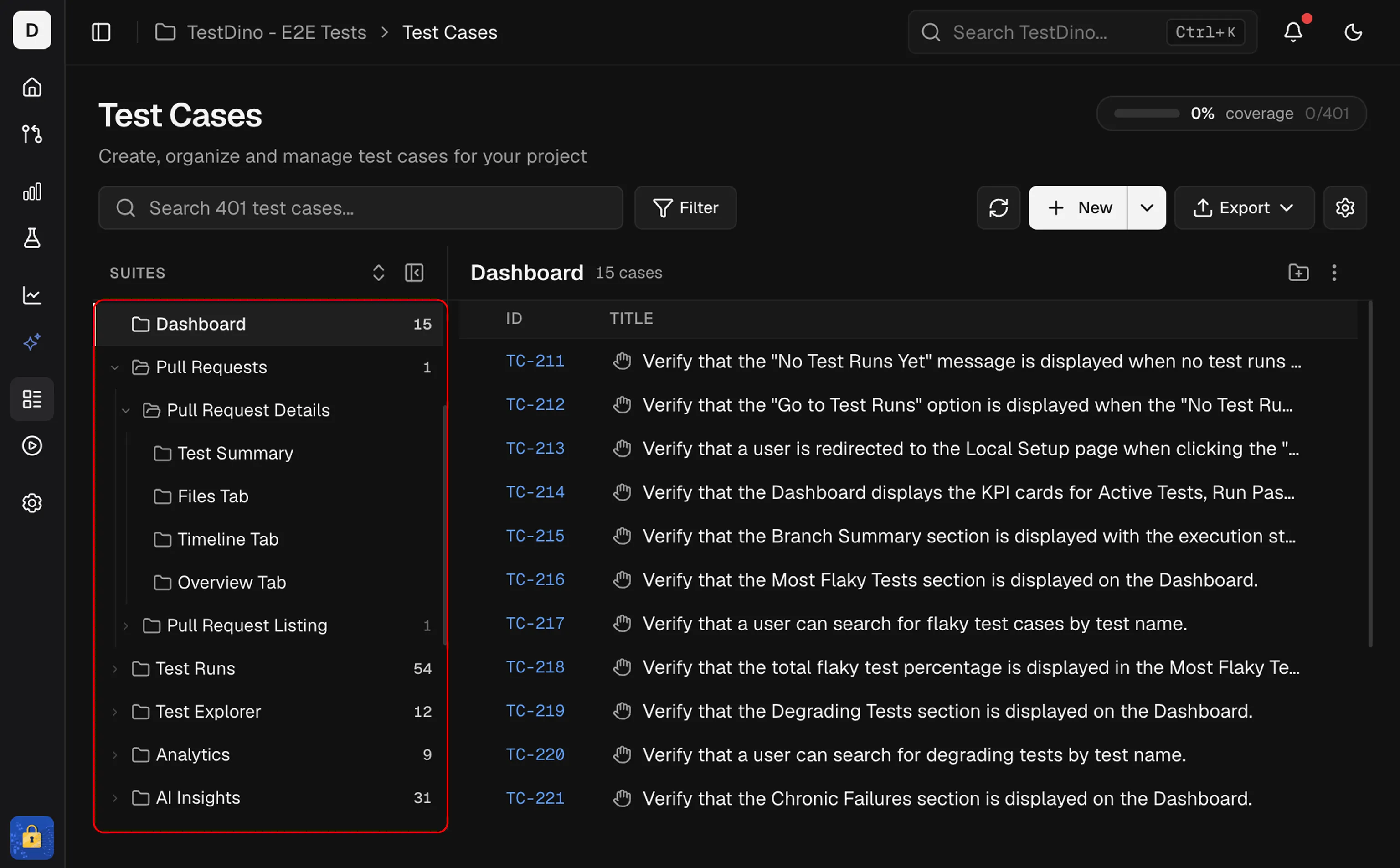
Create a Suite
Click the + icon next to the SUITES header in the sidebar to add a suite. Provide a name, optional description, and optional parent suite to create a nested structure. Hover any suite row to reveal + (add child suite), pencil (edit), and trash (delete) icons.Reorder Suites and Cases
Drag any suite or test case by its handle to reorder within the tree, or drop it onto a different parent. Suites support up to 6 levels of nesting; case order is persisted per suite. The order of cases inside a suite is the order a run shows under Manual Order. Dragging a case in an open run changes the suite’s order too.Expand and Collapse
Click a suite name to expand it and see its test cases. Use the expand/collapse all button in the toolbar to open or close every suite at once.Create Test Cases in a Suite
2 ways to create test cases:- Click the + Create a Test Case row at the bottom of any expanded suite
- Use the + New button in the header (select the target suite in the form)
Inline Test Case Rows
Inside each expanded suite, test cases are listed with:
Click any test case row to open its Details Sheet on the right. Tick the suite-level checkbox to select every test case inside that suite for Bulk Actions, and use the selection toolbar to delete whole suites along with their cases.
Test Cases
Flat list with search, filter, and full details sheet
Bulk Actions
Edit, delete, or print multiple test cases at once
Concepts & Settings
Suites, test cases, steps, and project settings